
ChatGPT, Claude and Gemini Together: Turn Multiple AIs into One Team
There are endless comparisons of ChatGPT and Claude, but in practice the better choice depends on the kind of work and how much of your usage limit is left that day. That is why more people use multiple AI models side by side. This guide explains how to use ChatGPT, Claude, Gemini together, how to put the AI subscriptions you already pay for in one app, and how PIXENTOR turns them into a team that reviews each other's work.
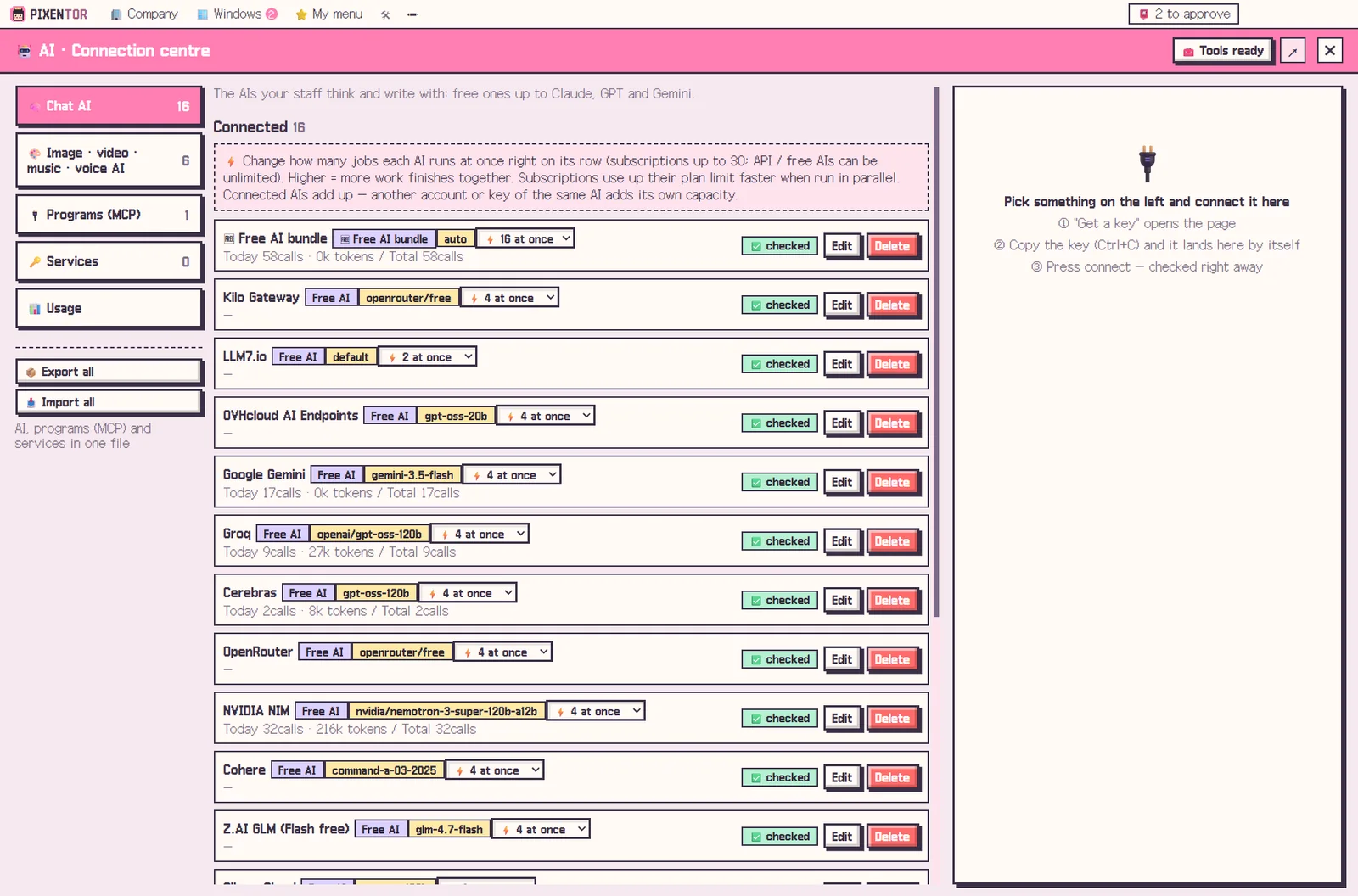
You do not have to pick just one AI
Each model has strengths, and each plan has limits. Locking yourself into one means living with its weak spots and stopping when you hit its cap.
In PIXENTOR the strongest AI splits the work, reviews it and combines it into one result. If one AI hits its limit, another takes over, so the work keeps moving.
Your AI subscriptions in one app
If you already pay for ChatGPT or Claude, you can connect them at no extra cost. Install and sign in to Claude Code (Claude plan), Codex (ChatGPT plan), Antigravity (Google AI plan), Copilot and Cursor with one click, and assign them to staff.
There are no separate API fees; work stays within each plan's limits. You can also connect APIs like Claude, GPT and Gemini directly, in which case usage is paid to each AI provider.
- Claude Code: Claude plan
- Codex: ChatGPT plan
- Antigravity: Google AI plan
- Copilot and Cursor
- Claude, GPT and Gemini APIs, and local AIs like Ollama
How to use multiple AI models as a team
Give one employee research, another writing and a third review, each with a different AI. When a different model reviews the work, one AI's mistakes are easier to catch.
No subscriptions? That is fine too. You can start right away with no-sign-up free AIs and a bundle of more than 20 free-tier AIs.
A practical split is to give the job that needs the most judgment, such as planning or final review, to the strongest model you have, and give high-volume work like first drafts or research summaries to free AIs. That keeps paid usage for the parts where it matters most.
Your keys and files stay on your PC
The AI keys you connect, your company files and your results are all stored on your PC. The server only handles sign-in, updates and relaying the phone remote.
Anything that goes outside the company, such as posting or uploading, runs only after you approve it.
You can also click any employee to change the AI behind them whenever a different model suits the job better.
Where the combination pays off
Mixing models helps most on work with several distinct parts: research plus writing plus checking, or planning plus images plus video. It also helps in planning meetings, where staff using different AIs propose and challenge ideas before an agreed plan reaches you.
Beyond chat models, you can add 28 image, video, music and voice AIs and tools like Notion, Slack and GitHub, more than 260 connections in all.
How to try it in PIXENTOR
- Found a company — Pick an industry template or describe your company in one line.
- Connect your subscriptions — Install and sign in to Claude Code, Codex, Antigravity and others in the connection center, and give each employee the AI that fits.
- Give the CEO a task — Describe the work and the CEO splits it among staff, with different AIs reviewing each other.
- Wrap up with an approval — Approve or edit the results that arrive with a review report.
FAQ
I pay for both ChatGPT and Claude. Do I pay more?
No. You sign in with your existing plans, there are no separate API fees, and work stays within each plan's limits.
Can I use Gemini too?
Yes. Connect the Gemini API, or connect Antigravity with a Google AI plan, and assign it to staff.
What if I have no subscriptions at all?
You can start right away with no-sign-up free AIs and a bundle of free-tier AIs.
How many AIs can I connect?
Chat AIs, image, video, music and voice AIs, and tools like Notion, Slack and GitHub: more than 260 connections in all.
Related guides
- Multi Agent AI: How to Build an AI Team That Works in Parallel
- Free AI Tools: How to Choose the Best Free AI Software
- AI Coding Agents and Vibe Coding: Using Claude Code and Codex Together
- AI Meeting Agents: Let AI Staff Debate and Agree on a Plan
- See all industry templates
⬇ Free download for Windows