
Free AI Tools: How to Choose the Best Free AI Software
Lists of free AI tools go out of date almost as soon as they are published. Models change, limits change, and a tool that was free last month may not be next month. Instead of chasing rankings, it helps to have a few criteria you can apply yourself. This guide gives you that checklist, explains the real problem with free tiers, and shows how PIXENTOR combines many free AI agents to use in one place on your Windows PC.
What to check before choosing free AI tools
Ranked lists change quickly. These questions stay useful no matter which tools are popular this month, and they help you compare options against what you actually need.
- Whether you have to sign up
- How much you can use per day or per month
- What it is good at: writing, images or code
- Where your data is stored
- What makes it switch to a paid plan
The real problem with free AI software: limits
Free AIs have usage limits. When you hit one, you either wait or move to another service, and if that happens in the middle of a task you often have to explain the context all over again.
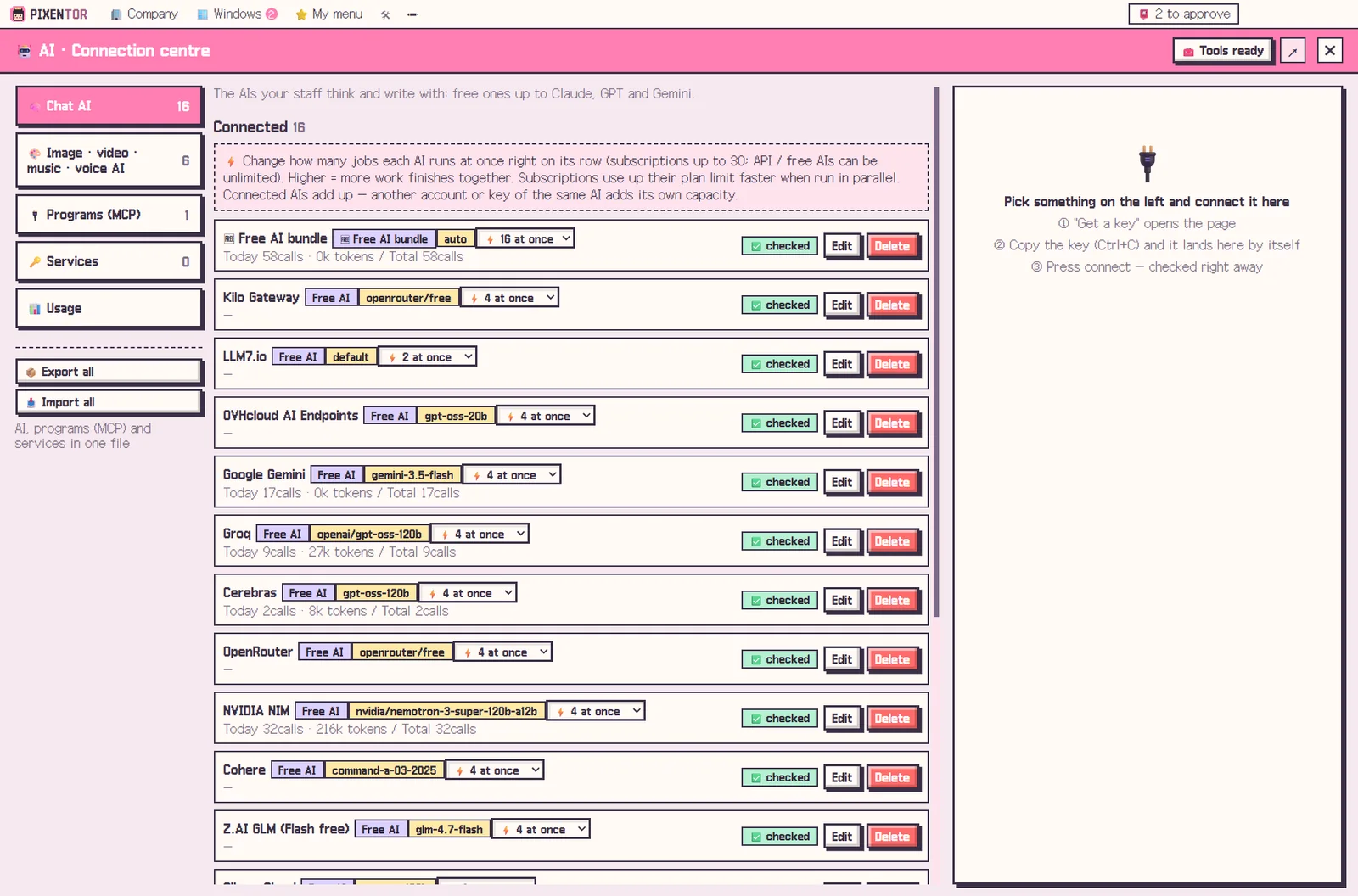
PIXENTOR deals with this by bundling more than 20 free-tier AIs. When one hits its limit, the next one picks up the work. You can also start immediately with free AIs that need no sign-up at all.
Mixing providers also spreads the risk: if one free service changes its terms or slows down, the rest of the team keeps working while you decide whether to replace it.
Many free AI agents to use, in one place
Chat AIs, image, video, music and voice AIs, programs (MCP) and outside services are all managed in a single connection center. Copy a key and it fills itself in. If you get stuck, a connected AI walks you through it in eight steps, from signing up to recognizing what the key looks like.
Connections are assigned per employee, which makes it easy to split work: this AI writes, that one draws, another one reviews. That is often the best way to get value from free tools, since each one tends to be strong at something different.
What the free PIXENTOR plan includes
The free plan gives you one building and three companies, with every feature: AI staff, meetings, approvals and all 40 templates. It also includes every way to connect AI, the free AI bundle, and uploading and downloading in the skill and pack market.
If you add paid AIs, you pay only those fees, directly to the AI provider. PRO plans with more buildings and companies are coming soon, but the free plan is not a trial.
A note on privacy with free tools
Your company folders, results and AI keys stay on your PC. When staff work on a task, though, the content of that task is sent to whichever AI service you connected, so check each provider's terms for anything sensitive.
Anything that leaves your company, such as posting or uploading, only happens after you approve it.
How to try it in PIXENTOR
- Found a company — Install the app and pick an industry template to create your company.
- Connect free AIs — In the connection center, connect no-sign-up free AIs or free-tier AIs.
- Give the CEO a task — Say what you need and the CEO hands it to staff.
- Review and approve — Approve the checked results in your approval inbox.
FAQ
Is PIXENTOR really free?
Yes. The app starts free, and you can put staff to work right away with no-sign-up free AIs and a bundle of free-tier AIs.
Can I get real work done with only free AI tools?
Yes. Using only free AIs adds no extra cost, and when one hits its limit, the next one takes over.
Do free AI tools upload my files?
Your company folders, results and AI keys stay on your PC. Task content is sent to the AI services you connect while they work on it.
Windows shows a 'Windows protected your PC' warning. Is that OK?
It appears because the app is not code-signed yet. Click More info, then Run anyway to install.
Related guides
- Choosing an AI Agent App: Free AI Agents on Windows
- ChatGPT, Claude and Gemini Together: Turn Multiple AIs into One Team
- AI Employees: How to Hire Them and Put Them to Work
- AI Side Hustle Reality Check: What to Know Before You Try to Make Money with AI
- See all industry templates
⬇ Free download for Windows