
AI Employees: How to Hire Them and Put Them to Work
AI employees are AI models given a clear role, a set of tools and a place in a team, so they hand you finished work instead of single chat replies. Used well, AI employees for business take over research, drafting, images and checking, while you keep the decisions. This guide covers what to sort out before you hire AI employees, and how PIXENTOR, a free Windows app, sets them up for you inside a pixel-art office.
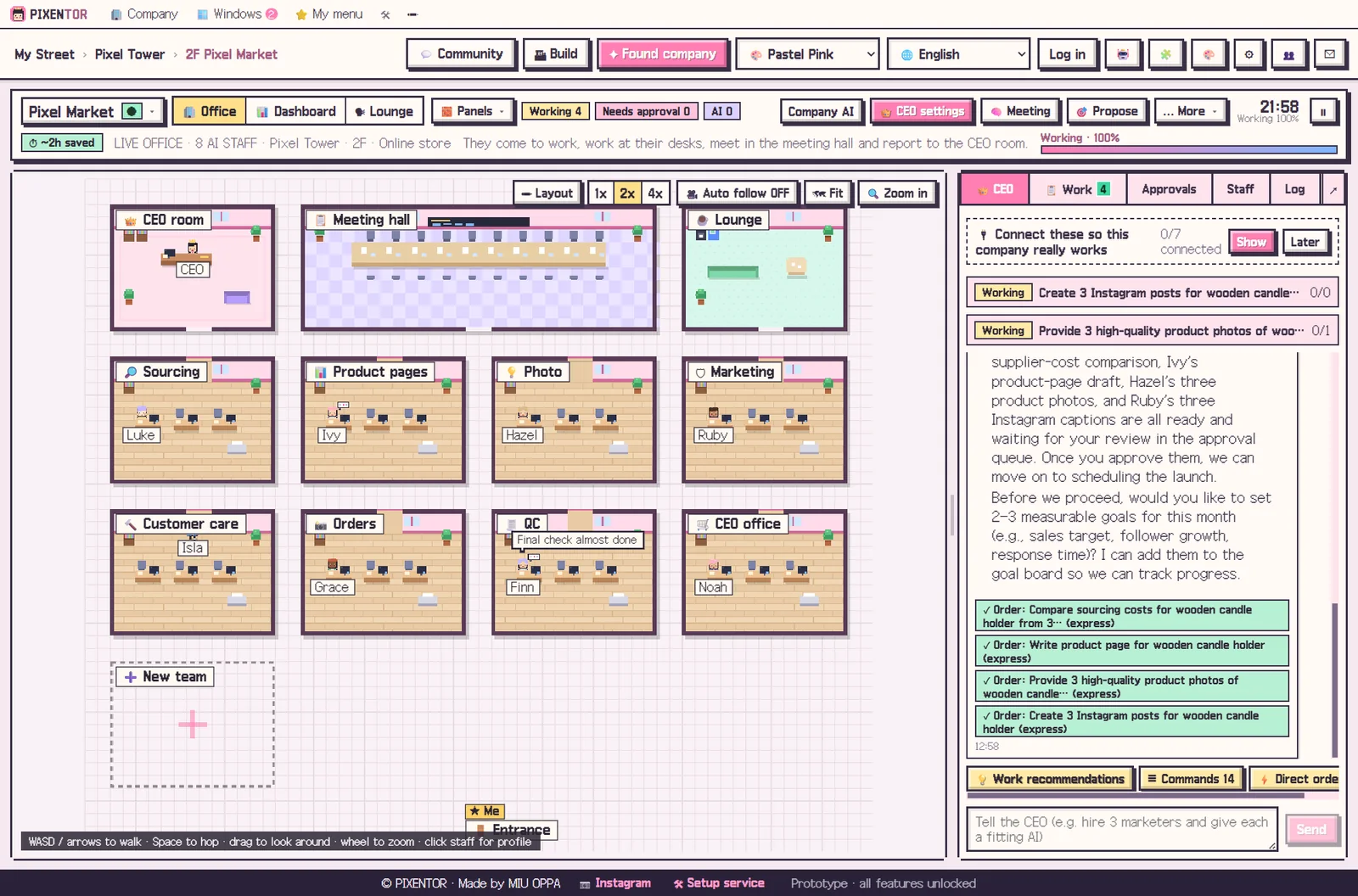
AI employees vs. chatbots: what is the difference?
A chatbot answers a question and stops there. An AI employee is closer to a colleague: it gets a role and a task, uses the AI and tools that fit that task, and produces something you can use, such as a report, a draft, an image or a checked list.
The real gain comes from having several of them. Put a research employee, a writer, an image employee and a reviewer side by side, and each one works with the model that suits its job. A writing model writes, an image model draws, and a different model checks the result, so one AI's blind spots are less likely to slip through.
Before you hire AI employees, check four things
Once these four questions have clear answers, using AI employees gets much simpler. They are worth writing down before you connect a single model.
- What role each employee will have and what it is responsible for
- Which AI is strongest for that role: text, images, video, voice or code
- Who checks the result before it moves on
- Whether a person approves anything that goes outside the business
How PIXENTOR sets up AI employees for business
When you found a company, departments and staff are created automatically based on the template you choose. There are 40 industry templates, each with teams, skills, QC checklists and suggested connections. Click any employee in the office to change their profile, their AI or their skills.
Each employee picks one to three skills that fit the task from more than 90 built-in skills, so you do not have to configure every job by hand. You can install more from the skill market, with safety checks, or create a new skill just by describing it.
Staff also remember. Each employee pulls only the memories they need from past work, and if you rehire someone, their memory carries over. The AI CEO recommends missing departments or AIs, with a reason for each.
Which AIs can your AI employees use?
You can connect free AIs that need no sign-up, a bundle of more than 20 free-tier AIs, subscriptions like Claude Code and Codex, APIs such as Claude, GPT and Gemini, local AIs like Ollama, and 28 image, video, music and voice AIs. That is more than 260 connections in all, including tools like Notion, Slack and GitHub.
When one free AI hits its limit, the next one picks up. AI usage is paid directly to each provider; if you only use free AIs or subscriptions you already have, there is no extra cost. Your files and keys stay on your PC.
How to try it in PIXENTOR
- Found a company — Choose an industry template and your departments and AI employees are ready at once.
- Give staff an AI — Connect free AIs or the subscriptions you already have in the connection center, then assign them to staff.
- Give the CEO a task — Tell the CEO what you need and it hands the work to the right employees.
- Review and approve — Staff check each other's results, and the finished work lands in your approval inbox.
FAQ
Can I use AI employees for free?
Yes. The app is free and you can put staff to work right away with no-sign-up free AIs. If you add paid AIs, you pay only those fees, directly to that provider.
How many AI employees can I have?
Templates create departments and staff for you, and the CEO recommends what is missing. The free plan includes one building and three companies; PRO plans with unlimited buildings and companies are coming soon.
Do AI employees remember past work?
Yes. Each employee pulls only the memories they need from past work, and memory carries over even if you rehire them.
Is it hard to set up AI employees?
No. The connection center guides you in three numbered steps, copied keys fill in automatically, and a connected AI walks you through anything you get stuck on.
Related guides
- How to Start a Company with AI and Actually Run It
- Multi Agent AI: How to Build an AI Team That Works in Parallel
- Choosing an AI Agent App: Free AI Agents on Windows
- Free AI Tools: How to Choose the Best Free AI Software
- See all industry templates
⬇ Free download for Windows