
Choosing an AI Agent App: Free AI Agents on Windows
A chatbot answers once. An AI agent takes a goal, such as "research our competitors and write a report", and keeps going: it searches, organizes, drafts and checks. That is why the right AI agent app matters as much as the model behind it. This guide gives you a checklist for comparing options, explains how to start with free AI agents, and shows how PIXENTOR runs AI agents on Windows as staff in a pixel-art company.
What is an AI agent, really?
An AI agent is an AI that works toward a goal over several steps instead of replying to a single prompt. To do that, it needs tools it can use, permissions that define what it may do, and some way of checking its own results.
Those three pieces are also where agents go wrong. An agent with too few tools gets stuck, one with too many permissions can do things you did not want, and one with nobody checking its work repeats its own mistakes. A good setup gives agents enough room to finish the job while keeping a person in the loop for anything that matters.
What to look for in an AI agent app
Lists of the best agents change every month. Comparing options against a fixed set of questions makes it easier to find what fits your situation, whether you are a hobbyist or looking at AI agents for small business work.
- How many AIs and tools it can connect to
- Whether you can start free or reuse subscriptions you already pay for
- Whether another AI or a person reviews the results
- Where your files and API keys are stored
- Whether actions that leave your computer need approval first
How to start with free AI agents
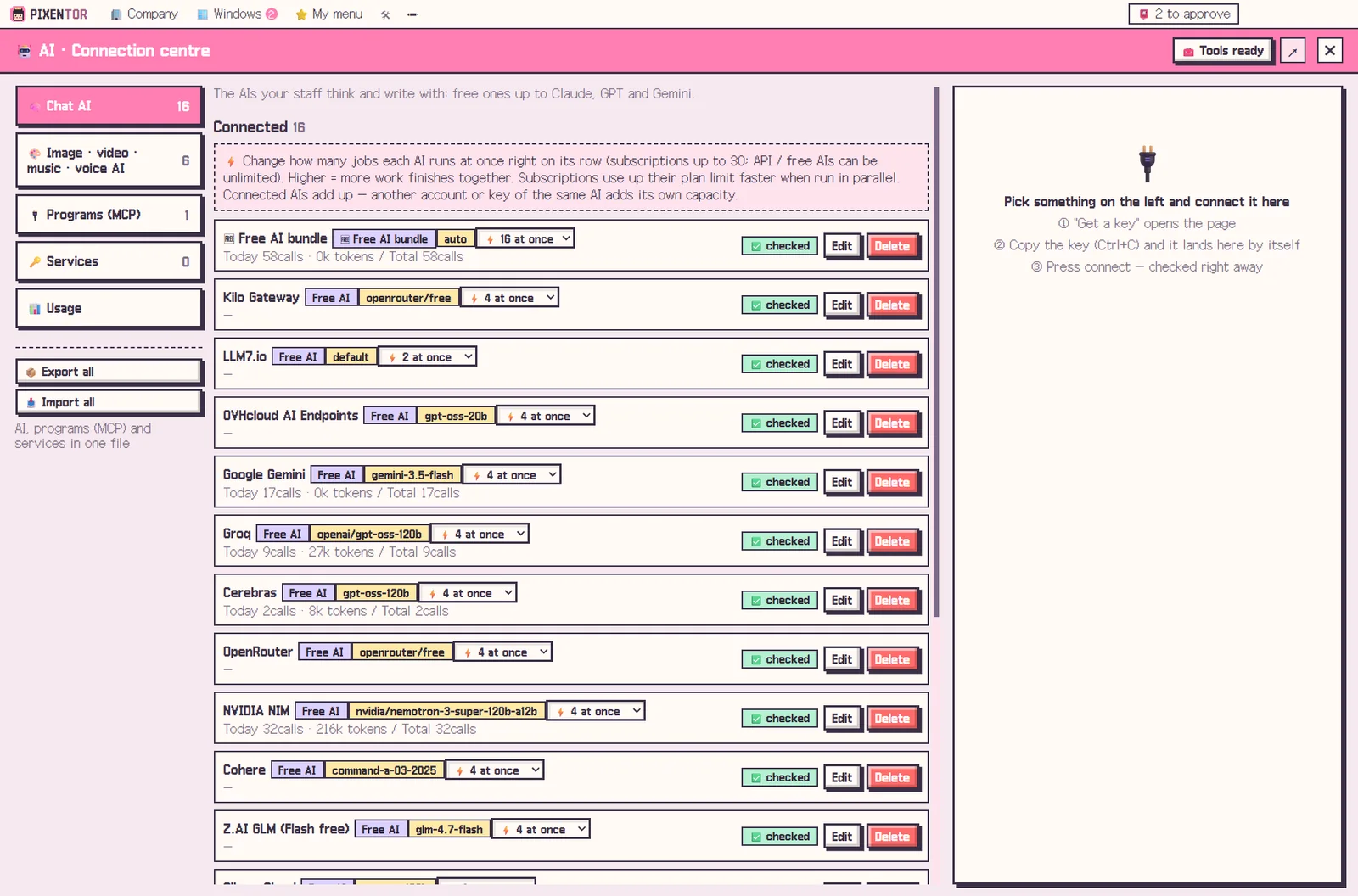
PIXENTOR is free, and you can start right away with free AIs that need no sign-up. Bundle more than 20 free-tier AIs, and when one hits its limit the next one picks up, so a long task does not simply stop halfway.
If you already use Claude Code with a Claude plan or Codex with a ChatGPT plan, you can install and sign in with one click and assign it to a staff member. There are no API fees; the work stays within your plan's limits. Antigravity, Copilot and Cursor connect the same way.
AI agents, Windows-native: how PIXENTOR runs them
PIXENTOR is a desktop app for Windows 10 and 11. When you found a company, every employee becomes an agent. You choose the AI for each one, and each employee picks one to three skills that fit the job from more than 90 built-in skills. You can also install skills from the market or create new ones by describing them.
The AI CEO splits the work, departments at the same stage run in parallel, and only results that pass the review team reach your approval inbox. You set how far the CEO can go with four permission levels: Plan, Manual, Auto and Full. Your company folders, results and keys stay on your PC.
How to try it in PIXENTOR
- Found a company — Pick a template and role-based AI agents (your staff) are ready.
- Connect AIs — In the connection center, connect free AIs, your existing subscriptions and any tools you need.
- Give the CEO a goal — Describe the goal in plain words and the CEO splits it into steps for the staff.
- Review and approve — Check the cross-reviewed results in the approval inbox and approve them.
FAQ
Are there free AI agents I can use?
Yes. The PIXENTOR app is free, and you can start right away with no-sign-up free AIs and a bundle of free-tier AIs.
Does this AI agent app run on Windows?
Yes. PIXENTOR is a desktop app for Windows 10 and 11. A Mac version is planned.
Will AI agents pay for things or post on their own?
No. Anything that goes outside runs only when the owner approves it in the approval inbox.
Which AIs can I connect to my agents?
Claude, GPT and Gemini APIs, Claude Code and Codex subscriptions, local AIs like Ollama, free AIs, image and video AIs, and tools like Notion, Slack and GitHub: more than 260 connections in all.
Related guides
- Multi Agent AI: How to Build an AI Team That Works in Parallel
- AI Employees: How to Hire Them and Put Them to Work
- Free AI Tools: How to Choose the Best Free AI Software
- AI Workflow Automation: The Next Step After Automating with One Chatbot
- See all industry templates
⬇ Free download for Windows