
AI for Online Store Owners: From Product Descriptions to Daily Operations
Running an online store means product listings, product pages, promotion, customer messages and accounting, often all done by one or two people. AI can draft much of the writing, imagery and research, but a product page with a wrong size or material causes real problems. This guide covers what to hand to AI ecommerce automation, why AI product description work needs a review step, and how PIXENTOR runs it as a team that waits for your approval.
What you can hand to AI in an online store
Store work splits into listing products, product pages, promotion, customer support and settlement. Writing, images and research are the parts where AI can produce fast first drafts.
- AI product description copy and page structure
- Product images and banner artwork
- FAQs and customer guidance text
- Research on competing products and price ranges
- Ideas for promotions and events
Why AI product description work needs fact-checking
Product pages contain details that must be right: materials, sizes, instructions for use. To avoid plausible-sounding inventions, give the AI the original product information and always run the result through a review step.
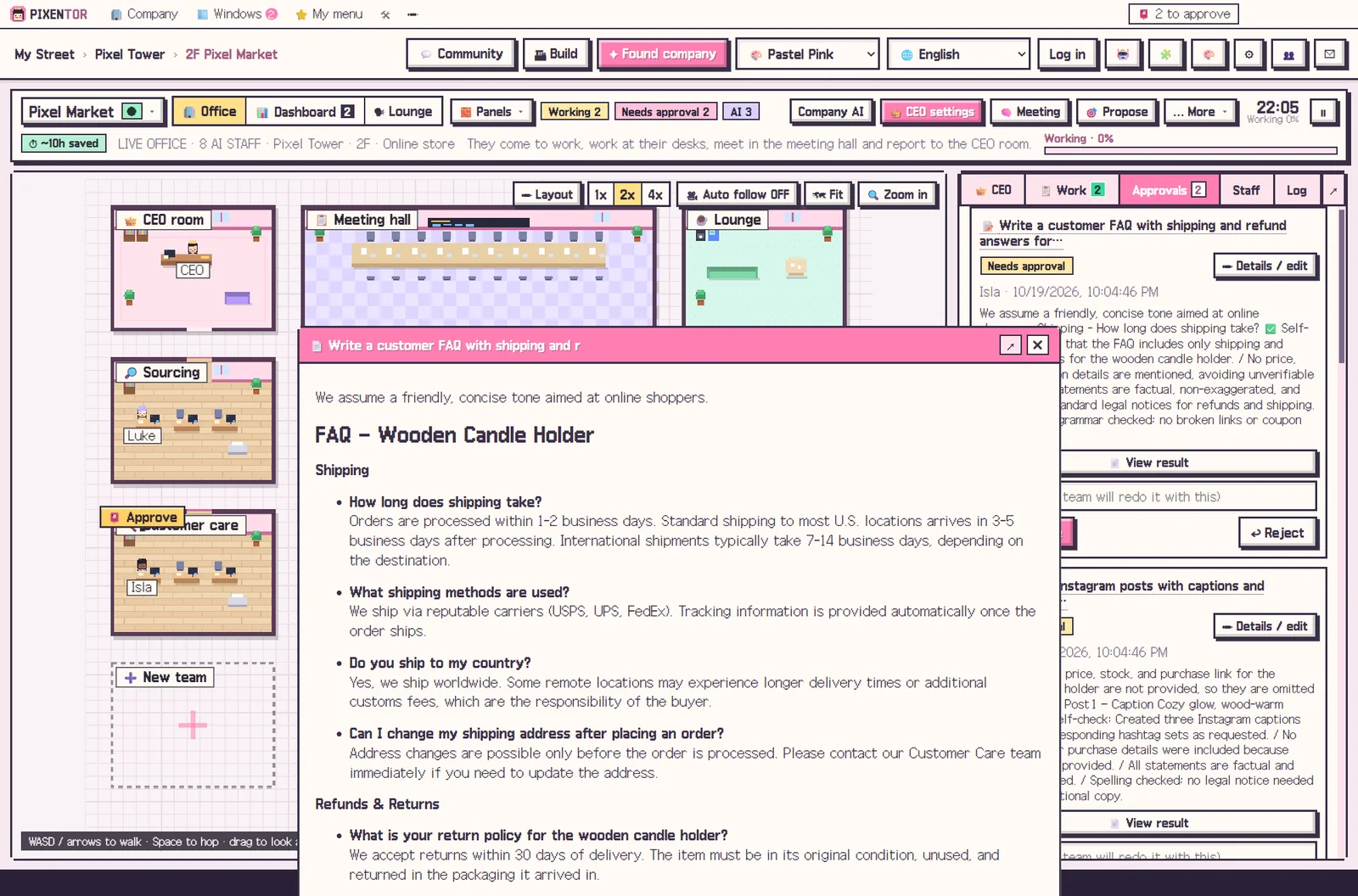
In PIXENTOR the writer and the reviewer can use different AIs, and polish and final-review teams check everything at the end. In the approval inbox you can compare the files before and after review and fix anything yourself before you use it.
Sales and work on one screen
The dashboard shows goals, tasks, approvals, results, revenue and a calendar on one screen. Say "make me a sales trend screen" and, after you approve it, a new tab appears with metrics, tables and charts.
Recurring jobs, such as weekly news on competing products, can be set up as routines so the company keeps doing them without being asked again.
Staff also remember what they need from past work, so your brand tone, product details and earlier campaigns carry over. Over time you spend less effort re-explaining your store and more time on decisions only an owner can make, such as pricing, stock and which promotions are worth running.
Listings and promotions go live only after approval
The AI does not list products or run ads on its own. Anything that goes outside runs only after you approve it in the approval inbox, and your company files and results stay on your PC.
This works with whichever platform you sell on. The team produces the copy and images as files; you decide what goes up and where.
Setting up your store team
Pick the Online shop template and departments, staff, skills, QC checklists and a revenue model are ready at once. Connect an image AI if you want product visuals, and staff use it directly in their work.
The app is free. Free AIs or subscriptions you already have add no extra cost; if you add paid image AIs or others, you pay those fees directly to each provider.
A sensible first project is a single product: give the CEO the real specifications, let the team draft the page and images, and compare the reviewed version with what you would have written yourself. It is a quick way to see where the team helps most.
How to try it in PIXENTOR
- Found an online shop — Pick the Online shop template; departments, staff, skills, QC checklists and a revenue model are ready.
- Give the CEO product details — Share the product information and say "make a product page for this". The CEO splits copy and images.
- Staff create and cross-check — Copy and images are made in parallel, and another AI plus the final-review team check the details.
- Approve, then list — Compare before and after review and approve. Listing anything outside happens only after approval.
FAQ
Can I use an AI product description as it is?
Check the product details first. PIXENTOR sends results checked by the review team to your approval inbox, and you can edit them before approving.
Does AI ecommerce automation cost money?
The app is free to start. Free AIs or existing subscriptions add no extra cost; paid image AIs and others are billed directly by each provider.
Can it create product images?
Yes. Connect an image AI and staff use it directly in their work.
Will the AI list products automatically?
No. Anything that goes outside only runs after you approve it in the approval inbox.
Related guides
- AI Marketing Automation: Hand Copy and Campaign Planning to an AI Team
- AI Content Automation: Run Writing, Images and Video as One Team
- One Person Business AI: Running a Solo Company with an AI Team
- AI Workflow Automation: The Next Step After Automating with One Chatbot
- See all industry templates
⬇ Free download for Windows