
One Person Business AI: Running a Solo Company with an AI Team
Running a business alone means you are the researcher, writer, designer, marketer and reviewer at once. One person business AI is about handing the repetitive parts to AI so you can spend your time on decisions and customers. This guide covers what to delegate, how to prepare, and how PIXENTOR, a free Windows app, gives a solo founder a full AI team inside a pixel-art company.
What AI can take off a solo founder's plate
Most solopreneur AI tools are good at work that repeats and is easy to check. Setting direction, making promises to customers and spending money are better left to you.
- Research and organizing information
- First drafts of posts, product descriptions and emails
- Help with content production such as images and video
- Recurring reports and briefings
- Reviewing results and checking facts
How to prepare a one person company AI agent setup
Start by listing the tasks that repeat in your business every week. Then group them into roles, such as research, writing, design and review. Give each role the AI that suits it, and decide who checks the result before it goes anywhere.
You do not need to pay for a stack of tools on day one. Starting with free AIs or subscriptions you already have lets you build the workflow first and add paid tools only where they clearly help.
Building your solo AI team in PIXENTOR
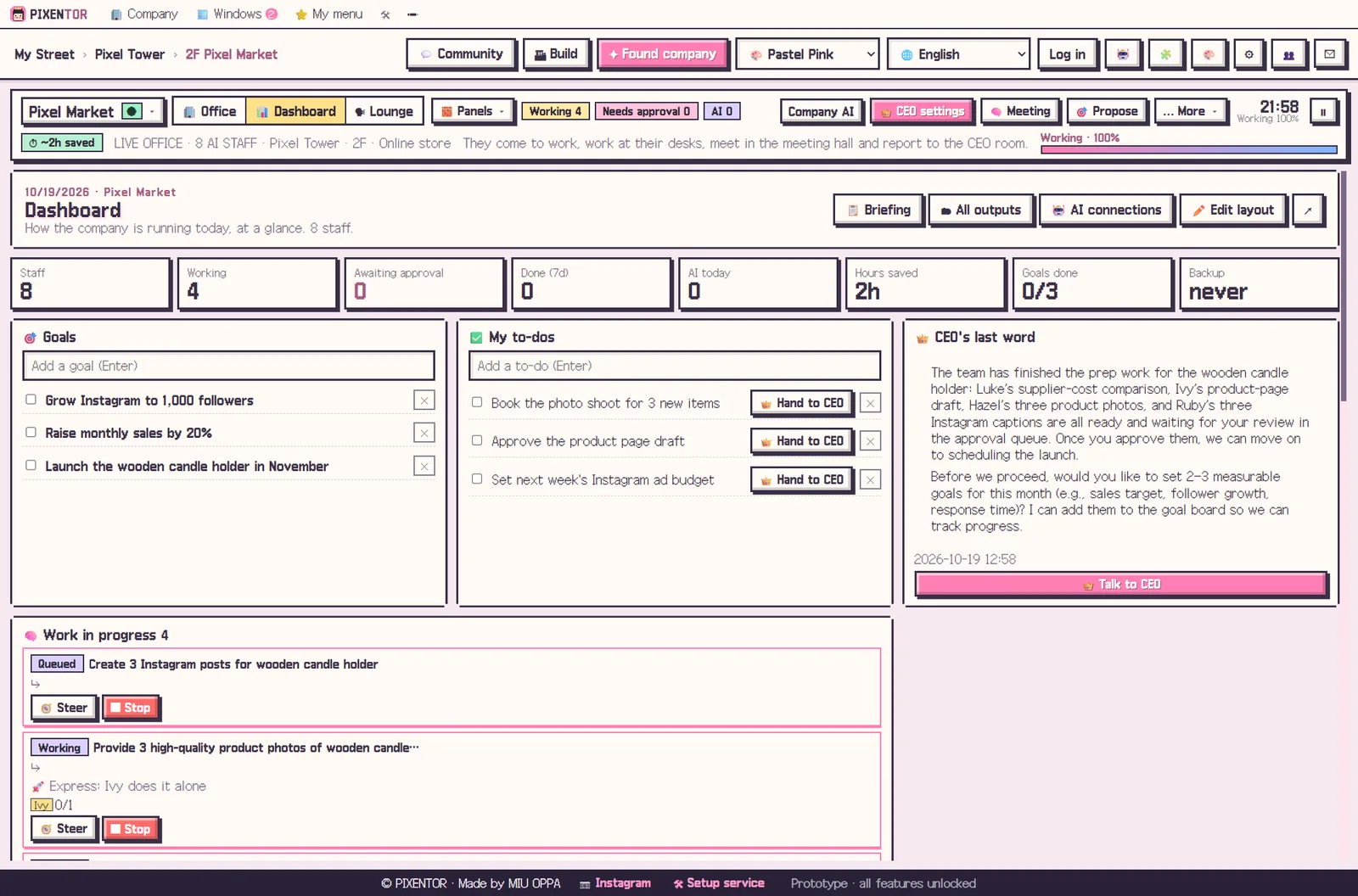
PIXENTOR comes with 40 industry templates, including online shop, marketing agency, YouTube, blog and newsletter, designer and developer, each with a revenue model already set up. Pick one and the departments, staff, skills and QC checklists are ready.
The AI CEO splits the work, staff review each other, and finished work lands in your approval inbox. With routines, the company keeps doing a job once you ask, such as a briefing every morning or competitor news every week, or whenever a new file appears in a folder.
A realistic look at solo business AI examples
Stories about one-person companies run by AI are useful for ideas, but the same tools give different results depending on the industry and how the work is done. AI saves time; it does not guarantee results or income.
In the PIXENTOR plaza and board, owners share know-how, skills and company setups, auto-translated into 10 languages. Taking someone else's setup and adjusting it to your situation can save a lot of trial and error. Only companies you choose to make public appear there, and your files and keys stay on your PC.
Costs and control for a solo founder
Cash matters when you are on your own, so it helps that the app is free. The free plan includes one building and three companies with every feature: AI staff, meetings, approvals and all 40 templates. AI usage is paid directly to each AI provider, and if you stick to free AIs or subscriptions you already have, such as a ChatGPT or Claude plan, there is no extra cost.
Control matters just as much. Anything that leaves the company, from a social post to an ad, runs only after you approve it. You also choose how much the AI CEO can do on its own with four permission levels, so you can start cautious and hand over more as you learn how the team works.
How to try it in PIXENTOR
- Found a company — Pick the template that matches your business, or describe it in one line.
- Give the CEO this week's work — Say what needs doing and the CEO assigns it to staff.
- Staff work and cross-check — Departments work in parallel and the review team checks the results.
- Approve — Review the results in your approval inbox. Approved work builds your company history.
FAQ
Can a one person business use an AI team for free?
Yes. The app is free, and if you only use free AIs or subscriptions you already have, there is no extra cost.
Will using AI as a solopreneur make me money?
AI helps you get work done faster, but it does not guarantee income. Results depend on your business idea and how you execute it.
Can I approve work from my phone?
Phone remote, for approving and giving orders on the go, is part of the PRO plans, which are coming soon.
Does my business data leave my PC?
Your company folders, results and AI keys stay on your PC. The server only handles sign-in, updates and relaying the phone remote.
Related guides
- AI Startup Ideas: How to Validate Them and Start a Business with AI Tools
- How to Start a Company with AI and Actually Run It
- AI Side Hustle Reality Check: What to Know Before You Try to Make Money with AI
- AI Workflow Automation: The Next Step After Automating with One Chatbot
- See all industry templates
⬇ Free download for Windows