
AI Report Writing: Research, Draft and Review Documents as a Team
Good documents follow a reliable order: decide the purpose and the reader, gather material, outline, write, then check the facts and numbers. Give AI the same order and the results become much more dependable. This guide covers that workflow for AI report writing, what an AI business plan needs to be credible, and how PIXENTOR splits AI proposal writing across a team that checks its own work.
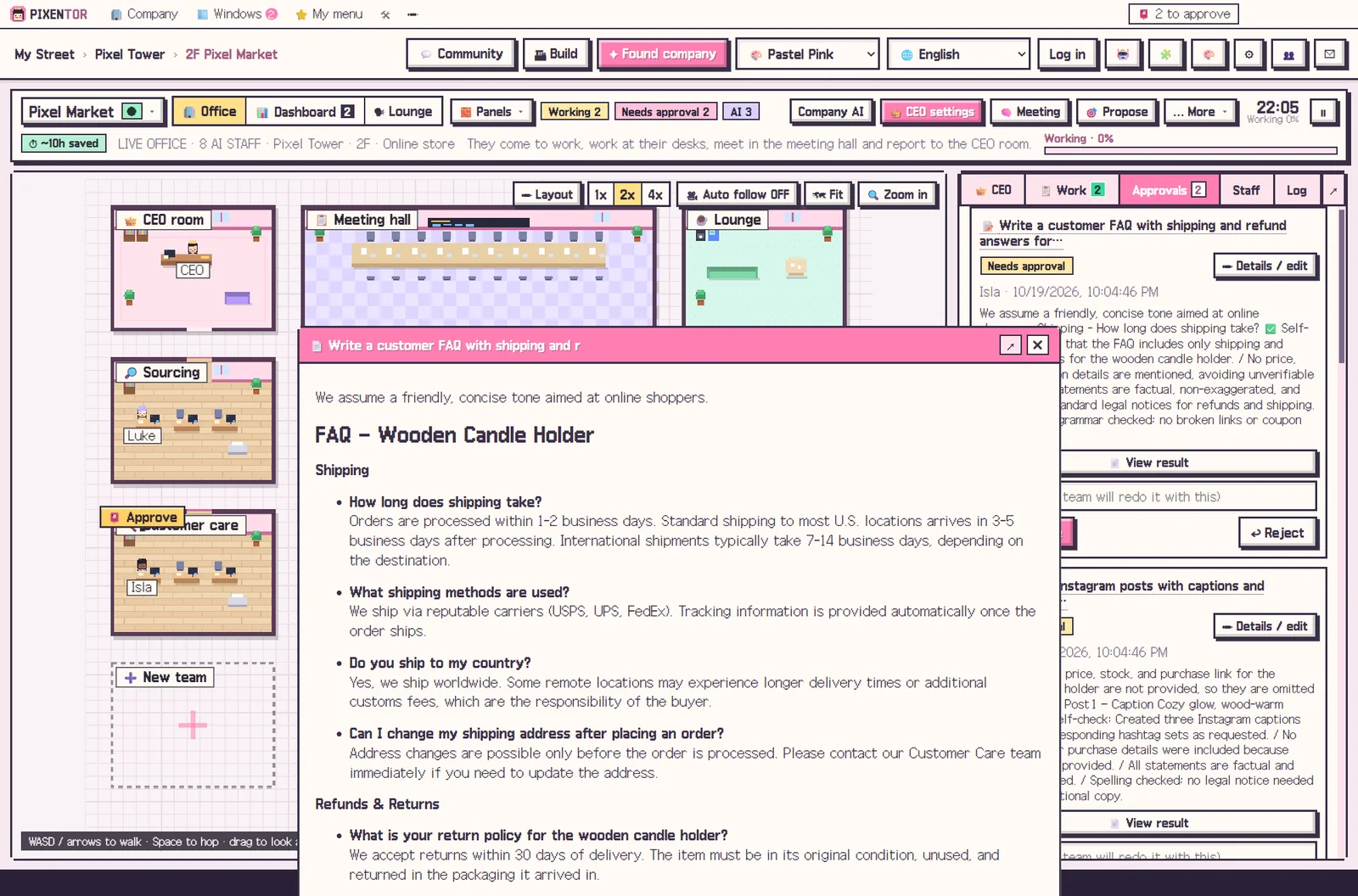
The right order for AI report writing
Most weak AI documents skip a step, usually the first or the last. Working through these in order keeps the draft focused and verifiable.
PIXENTOR follows the same order by splitting the job across staff: researchers gather material, writers draft, a reviewer with a different AI checks the draft, and the final-review team verifies facts with web search. Departments at the same stage work in parallel, so a long document does not have to be written one section at a time.
- Set the purpose, audience and length
- Research and collect evidence
- Outline and core arguments
- Write the body and organize tables
- Fact-check numbers and sources
An AI business plan lives or dies on evidence
A business plan includes market size, competitors and a revenue model. Any number an AI produces needs its source checked, and anything you cannot verify should be clearly marked as an assumption.
PIXENTOR's polish and final-review teams check facts with web search at the end. The startup templates also include setups like idea validation and fundraising and IR, so the right departments are ready for this kind of document.
Plan in a meeting, finish with an approval
If the direction is not settled yet, start with a planning meeting. Attendees read the same material, propose their own ideas, then challenge and revise each other. The agreed plan and an issues table come to you for approval.
In the approval inbox you can compare files before and after review, edit proposals, and approve or reject. Study and life templates, such as university reports and job hunting, use the same flow.
Documents become part of your company record
Approved documents build your company history and can be backed up to a folder, the cloud or a private GitHub repo every time you approve. When the next report comes around, staff pull only the memories they need from earlier documents, so you do not have to explain the same background again.
All documents and results are stored on your PC.
That record is also useful when a plan changes: you can see what the earlier version said and why it was approved.
AI proposal writing: tips for better drafts
Tell the CEO the outline or format you need when you give the task, and staff will write to that structure. Mention who will read the proposal and what decision you want from them; it changes the tone and emphasis more than anything else.
The app is free. Free AIs or subscriptions you already have add no extra cost, and paid AIs are billed directly by each provider. Whatever the team produces, the final judgment and the submission are yours.
How to try it in PIXENTOR
- Found a company for the job — Pick a fitting template from the 40, such as idea validation, fundraising and IR, consulting or university reports.
- Give the CEO the document — For example, "write a ten-page plan for an online course business". The CEO splits research, writing and review.
- Research, write and review — Departments at the same stage work at once, another AI reviews, and the final-review team checks the facts.
- Compare and approve — Edit or approve the document that arrives with the review report. Approved work is added to your company history.
FAQ
Can I submit an AI-written plan as it is?
Always check numbers and sources yourself. PIXENTOR runs a review step before sending the document to you, but the final judgment is yours.
Can it write an AI business plan?
Yes. Startup templates include setups like idea validation and fundraising and IR, so the relevant departments and staff are ready.
Can I set the report format?
Yes. Give the outline or format when you assign the task and staff write to it. Edits you make at approval can be reflected too.
Is this AI report writing tool free?
The PIXENTOR app is free to start. Using only free AIs or subscriptions you already have adds no extra cost.
Related guides
- AI Meeting Agents: Let AI Staff Debate and Agree on a Plan
- AI Startup Ideas: How to Validate Them and Start a Business with AI Tools
- One Person Business AI: Running a Solo Company with an AI Team
- Multi Agent AI: How to Build an AI Team That Works in Parallel
- See all industry templates
⬇ Free download for Windows